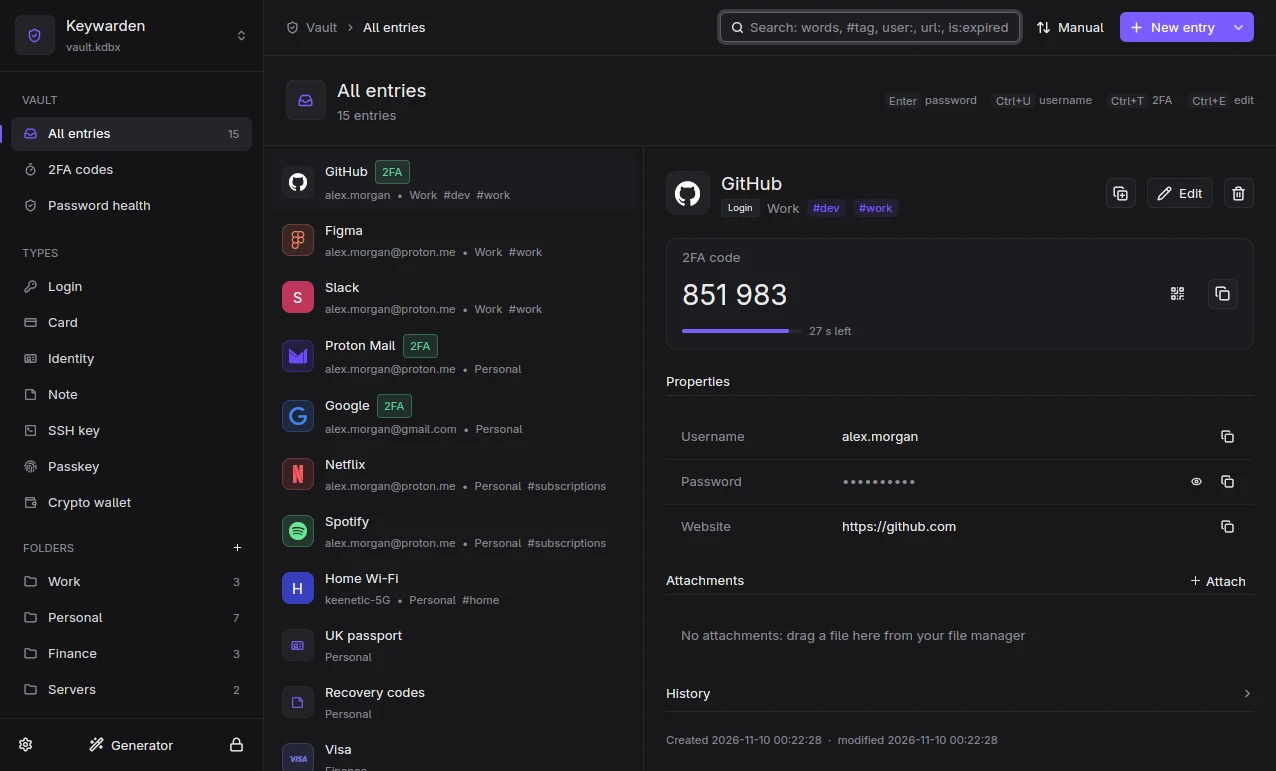
Passwords, 2FA codes and SSH keys in one KeePass file
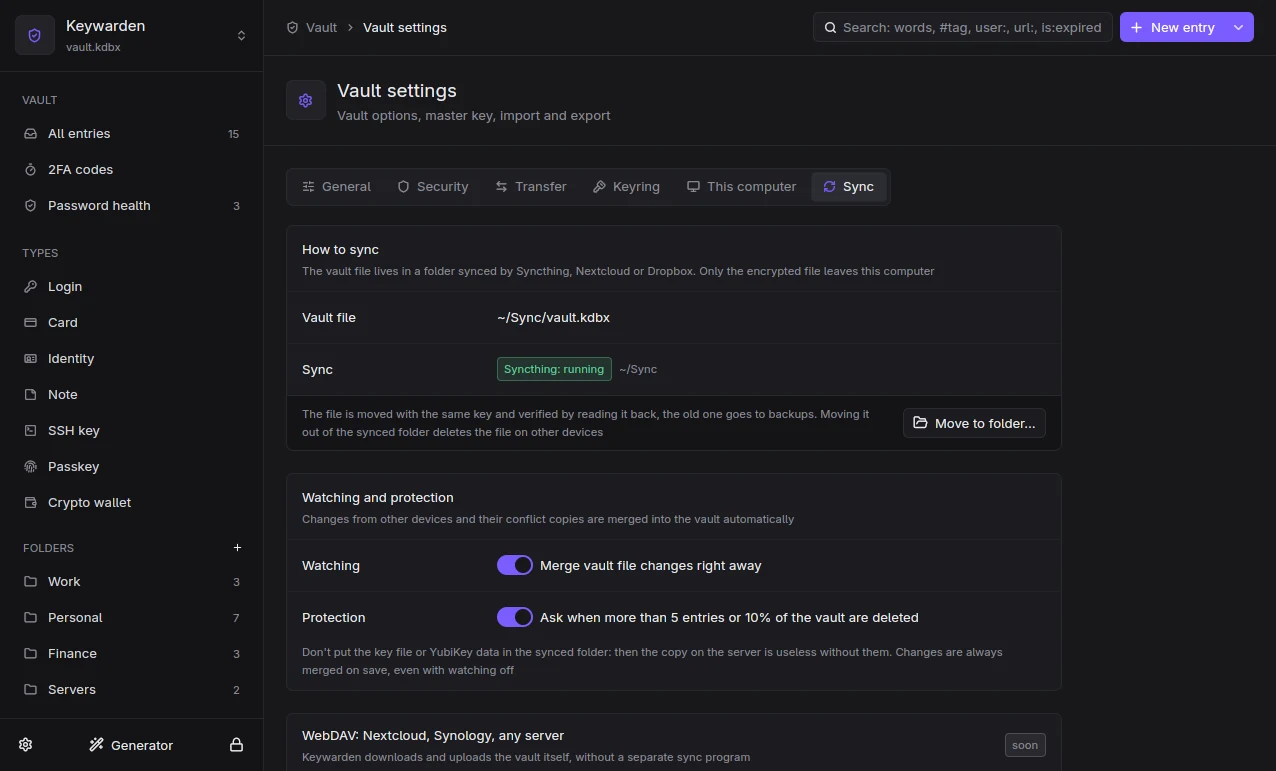
A password manager for Linux, Windows and macOS. The file stays yours: KeePassXC, KeePassDX and KeePassium open it, and your own folder syncs it, not our server.
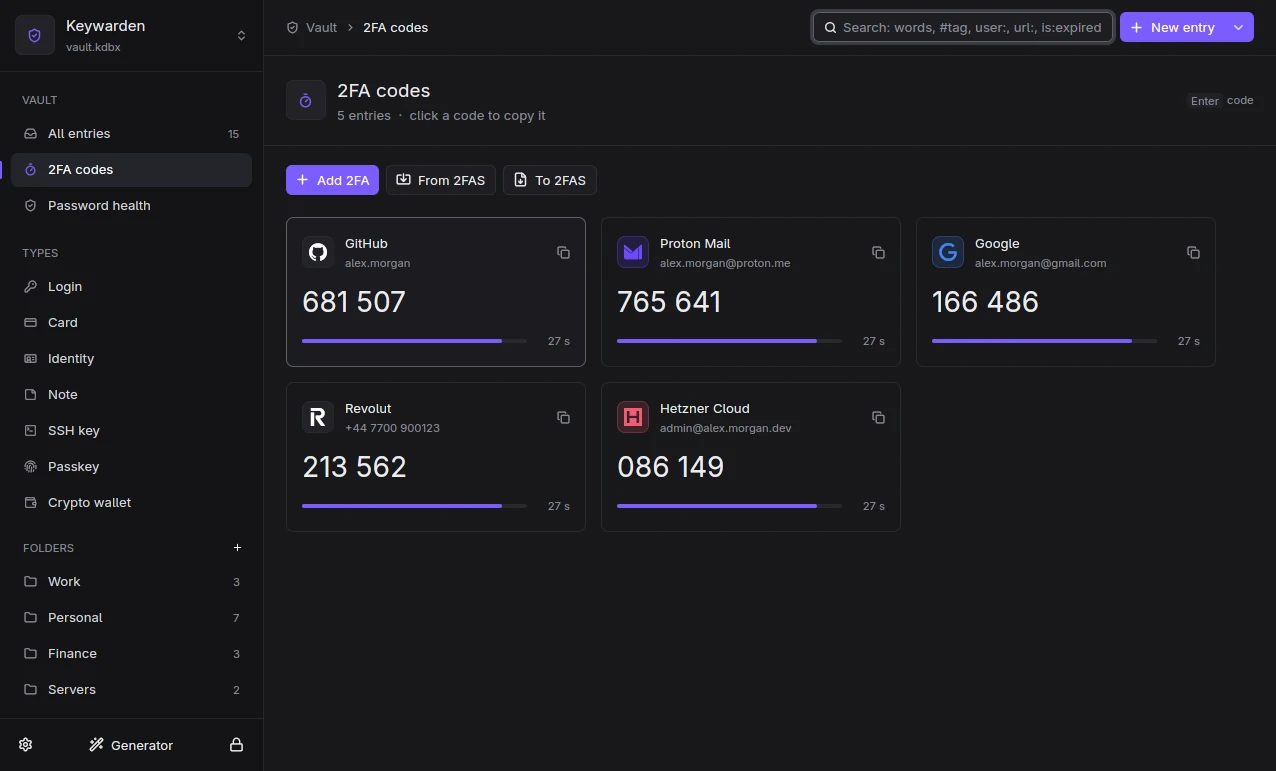
A codes page like an authenticator app, with the next code shown ahead of time. Add one from a QR in the clipboard or an image, an otpauth link or a secret.
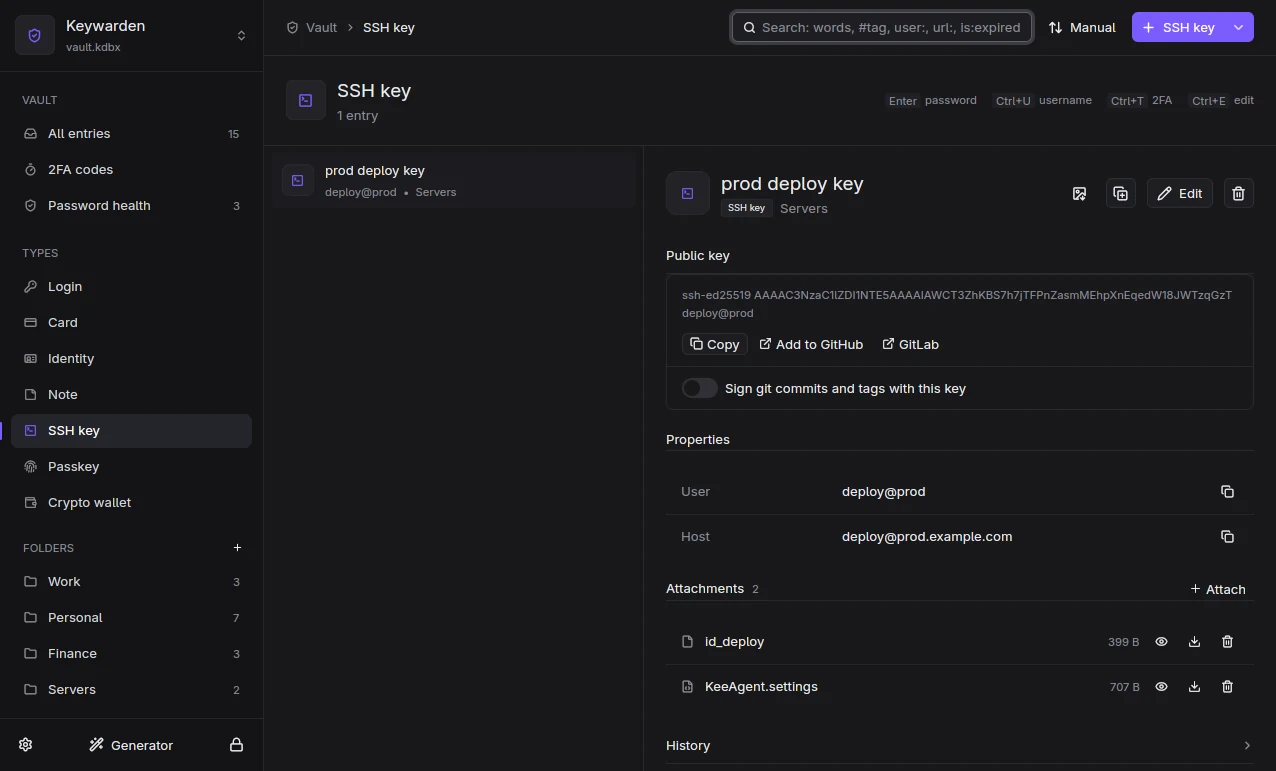
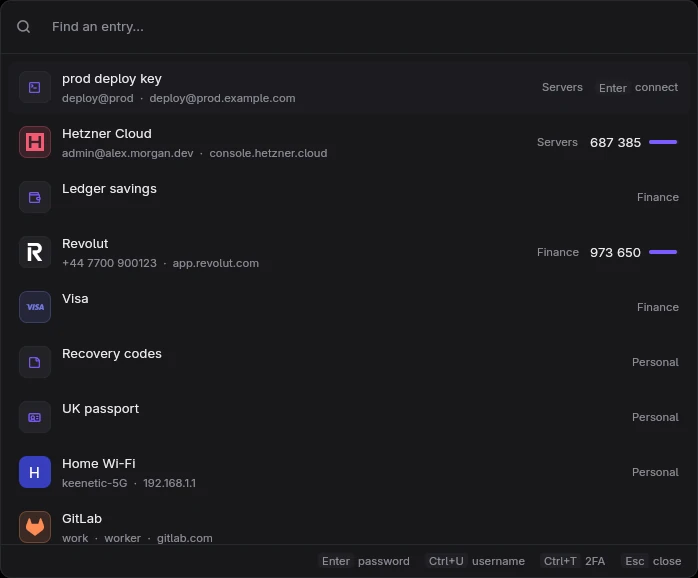
The built-in SSH agent serves keys from the vault to ssh, git and IDEs while the vault is open. Servers with their address, ProxyJump and port knocking live in the vault and travel to your other computers.
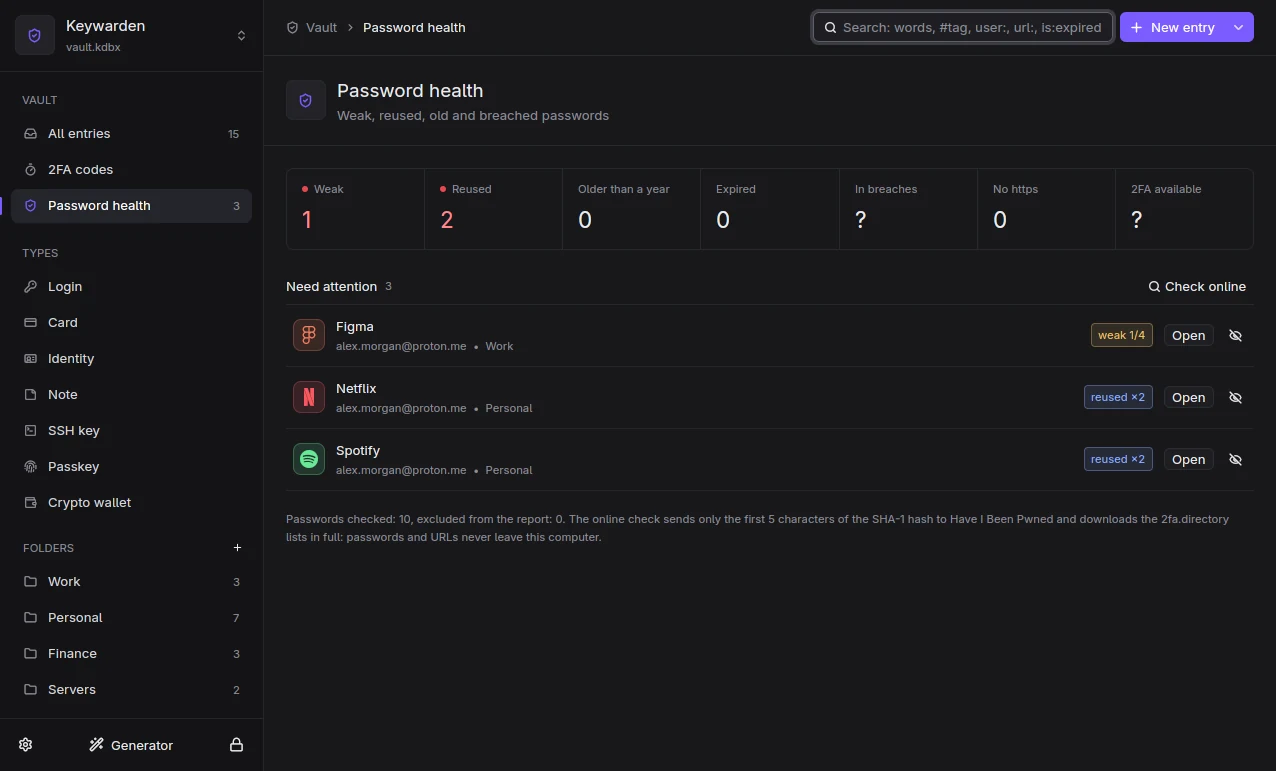
Weak, reused, old and expired passwords in one report. A Have I Been Pwned breach check at the press of a button, without sending the passwords themselves.
Keywarden against each of the popular managers, on points you can check. Where the other one wins, it says so.
Keywarden
KeePassXCBitwarden1Password
Where data lives
✓a file you own
✓a file you own
~their server or yours
~their server
Format
✓KDBX 4, open
✓KDBX 4, open
~their own, exports JSON and CSV
~their own, exports 1PUX and CSV
Price
✓free
✓free
✓free, paid premium
~subscription
Source code
✓open, GPL-3.0
✓open, GPL
✓open
✕closed
Sync
~your folder: Syncthing, Nextcloud, Dropbox
~your folder
✓built in
✓built in
Phone
~through KeePassDX or KeePassium
~through KeePassDX or KeePassium
✓its own app
✓its own app
Launcher over windows
✓yes, from any window
~no, has autotype
✕no
✓Quick Access
Sharing with family or team
✕no
✕no
✓yes
✓yes
=
Same file, different approach. KeePassXC is more mature and proven over years. Keywarden wins on the keyboard and the details: a launcher over any window, a 2FA codes page, SSH servers in the vault. You can use both, taking turns.
Pick Bitwarden if you need sharing with family or a team and a native phone app. Pick Keywarden if you do not want your vault living on anyone's server.
1Password is polished and can share passwords, but it is a subscription, closed source and their server. Keywarden is free and keeps everything with you in an open format.
You may not need to move anything: if you already have a KeePass vault, just open it. If your passwords live in another manager, Keywarden brings them over.
1
Open or import your vault
A .kdbx file opens as it is. Other managers import with one button, with a report of what to check by hand.
Bitwarden1PasswordProton PassChromeFirefox2FAS
2
Add the browser extension
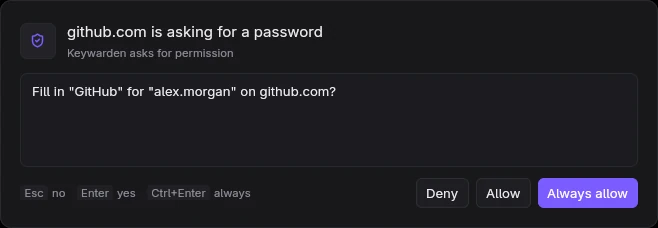
Firefox and Chrome: fills logins, types 2FA codes, saves new passwords and passkeys. Every new site is confirmed in a Keywarden window.
FirefoxChrome
3
Connect your phone
Put the vault into a Syncthing, Nextcloud or Dropbox folder. On the phone, KeePassDX or KeePassium opens the same file, and edits from both sides merge.
AndroidiPhoneSyncthing
Install
Pick your system. Package managers, archives and the rest are on the install page.
# any distribution, no root$ curl -fsSL https://onokashino.github.io/keywarden/install.sh \ | sh
Linux
Full support: Wayland, a tray icon, YubiKey, the SSH agent, a keyring in place of gnome-keyring, autotype in niri.
# keywarden-*-windows-x86_64.zip from Releases# unpack it, then in that folder> .\keywarden-ui.exe
Windowsbeta
The window, the launcher, the browser extension, the SSH agent for the built-in OpenSSH, a tray icon and autostart. YubiKey is so far tested at the protocol level only.
Yes, with no conversion. Keywarden writes the same KDBX 4, and KeePassXC keeps opening it. You can use both, taking turns.
2What happens if I stop using Keywarden?
Nothing is lost: the file stays an ordinary KeePass vault that any KeePass client opens. There is no lock-in.
3Why no cloud?
So that your passwords do not sit on someone else's server that can be breached or shut down. Sync is done by a folder you choose, and only the encrypted file goes there.
4Are Windows and macOS ready?
They work, but are still in beta: the basics are tested, while some features (YubiKey, a menu bar icon on macOS) are still being worked in. On Linux everything is tested.
5How much does it cost?
Nothing. Keywarden is GPL-3.0 with open source code, and has no subscriptions or paid features.
Bring your own KeePass file
Open the vault you already have, or create a new one in a minute.
 Keywarden